Python Runs the Night Shift
Python makes web scraping and automation easier to build, scale, and integrate. Explore practical tools and workflows for turning repetitive tasks into reliable automation.


Urvish Shah
Lead Technical Consultant



Why one language quietly powers automation and web scraping, and how to put it to work tonight.
Every team has a “night shift”: price checks, report pulls, inbox triage, and competitor pages that change while everyone sleeps. The teams that win don’t hire more night workers, they write Python.
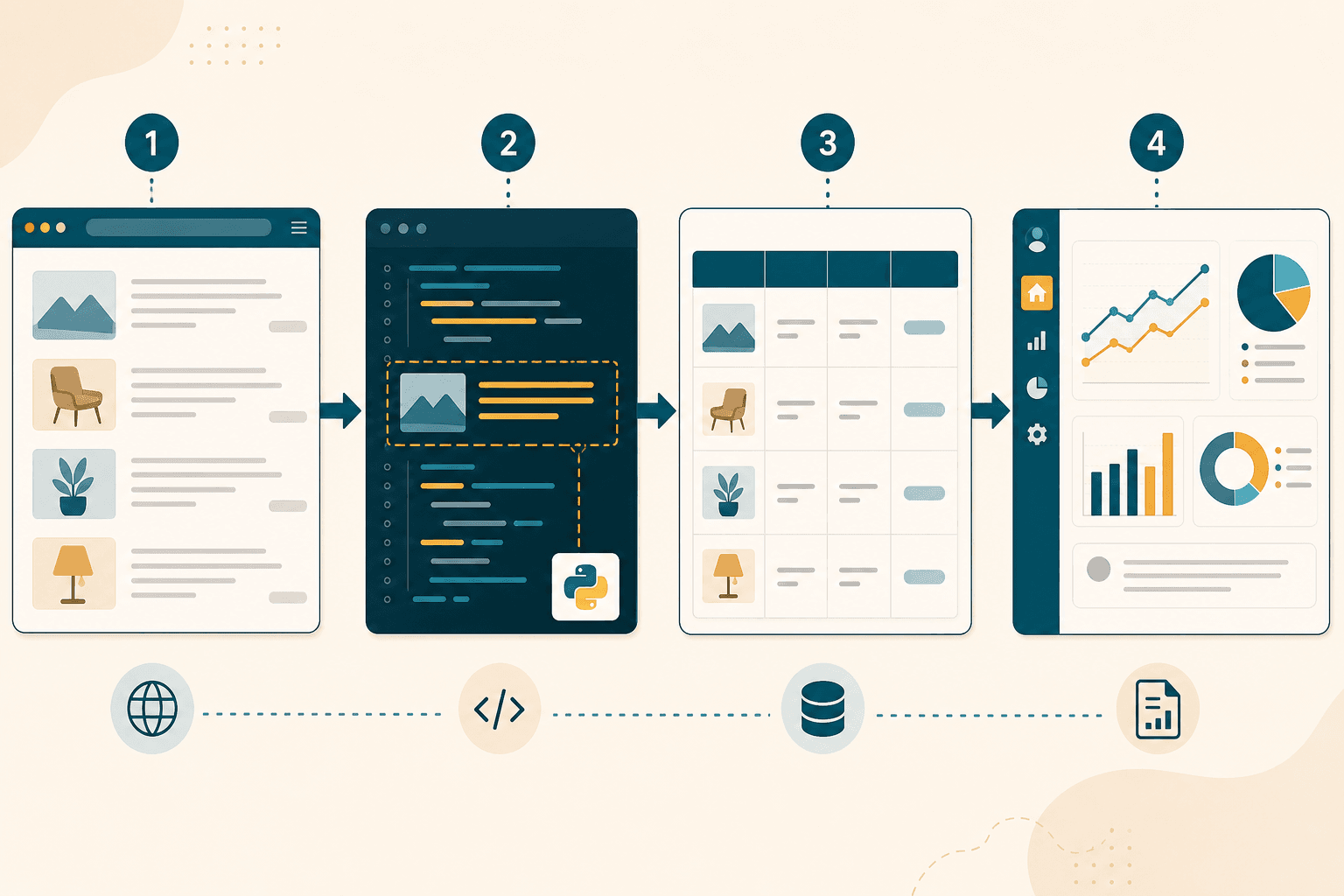
Python web scraping is one of the simplest ways to turn constantly changing web data into a repeatable workflow. Instead of manually checking pages, a Python script can collect information, clean it, save it, and trigger an action on a schedule.
The story in three acts
Act 1 — The bottleneck. Data lives on websites, in inboxes, and in APIs. Humans can collect it, but not at 2 a.m., not every hour, and not without typos.
Act 2 — The shortcut that stuck. Python arrived with readable syntax, batteries for HTTP and files, and a culture of “ship the script.” Scraping libraries and automation frameworks followed.
Act 3 — The operating system of busywork. Today Python sits between browsers, spreadsheets, cloud APIs, and message apps — the glue that turns repetitive work into a scheduled job.
The important shift is that scraping is rarely the final goal. The real value comes when collected data feeds the next step: analysis, reporting, alerts, or a business workflow.
Why Python is best for automation and web scraping
Not “best at everything”, but best at the combination of speed-to-value, library depth, and long-term maintainability for scraping and automation.
You can read it on Monday morning
Automation scripts get inherited. Python’s syntax stays close to English, so a colleague can debug a scraper without a two-day onboarding. That readability is a business feature, not a style preference.
The library shelf is unfairly deep
Python has a mature ecosystem for Python automation and web data collection:
- Scraping: Requests, Beautiful Soup, Scrapy, Playwright, Selenium
- Automation: schedule, APScheduler, Airflow, Prefect, Celery
- Data: pandas, openpyxl, csv, pydantic
- Integrations: boto3, azure-sdk, google-cloud, slack-sdk, sqlalchemy
These Python web scraping libraries cover different stages of the workflow. Requests can retrieve a page, Beautiful Soup can parse its HTML, Scrapy can handle larger crawling jobs, and Playwright or Selenium can interact with browser-rendered pages.
One language from prototype to pipeline
Start with a 30-line notebook. Promote it to a CLI. Wrap it in a cron job or a DAG. You rarely rewrite the domain logic when you scale, you wrap it.
Rule of thumb
If the problem is “fetch → transform → notify → repeat,” Python is usually the shortest path from idea to reliable job.
A web scraping example you can run
Below is a miniature “competitor price watch”: fetch a page, extract product cards, write CSV, and print a summary. Swap the URL and selectors for your target (respect robots.txt and site terms).
# price_watch.py — tiny automation + scrape example

import csv

from pathlib import Path


import requests

from bs4 import BeautifulSoup


URL = "https://books.toscrape.com/catalogue/category/books/travel_2/index.html"

OUT = Path("travel_books.csv")


def fetch_books(url: str) -> list[dict]:

    html = requests.get(url, timeout=20).text

    soup = BeautifulSoup(html, "html.parser")

    rows = []

    for card in soup.select("article.product_pod"):

        title = card.h3.a["title"]

        price = card.select_one(".price_color").text.strip()

        rows.append({"title": title, "price": price})

    return rows


def save_csv(rows: list[dict], path: Path) -> None:

    with path.open("w", newline="", encoding="utf-8") as f:

        writer = csv.DictWriter(f, fieldnames=["title", "price"])

        writer.writeheader()

        writer.writerows(rows)


if __name__ == "__main__":

    books = fetch_books(URL)

    save_csv(books, OUT)

    print(f"Saved {len(books)} books → {OUT}")

    for b in books[:3]:

        print(f"  • {b['title'][:40]}…  {b['price']}")
What happens here is straightforward: requests retrieves the page, Beautiful Soup parses the HTML, the script extracts the fields we need, and Python writes the results to a CSV file. That is basic web data extraction, but the same pattern can feed a database, dashboard, spreadsheet, or notification system.
Schedule it with cron, Task Scheduler, or a cloud job runner. Add Slack or email when a price drops. That is the automation story in one file.
Optional: headless browser when JavaScript renders the page
Not every website sends the data you need in its initial HTML. Modern sites may load product information, prices, or search results through JavaScript after the page opens.
That is where browser automation becomes useful. Instead of simply downloading HTML, tools such as Playwright and Selenium can open a real browser, wait for dynamic content, click elements, and extract the rendered results.
# When static HTML is not enough

from playwright.sync_api import sync_playwright


with sync_playwright() as p:

    browser = p.chromium.launch(headless=True)

    page = browser.new_page()

    page.goto("https://example.com/products")

    titles = page.locator(".product-title").all_text_contents()

    browser.close()

    print(titles)
A good rule is to start with simple HTTP requests when possible and move to browser automation only when the target site actually requires it. This keeps scrapers faster and easier to operate.
How Python stacks up against other stacks
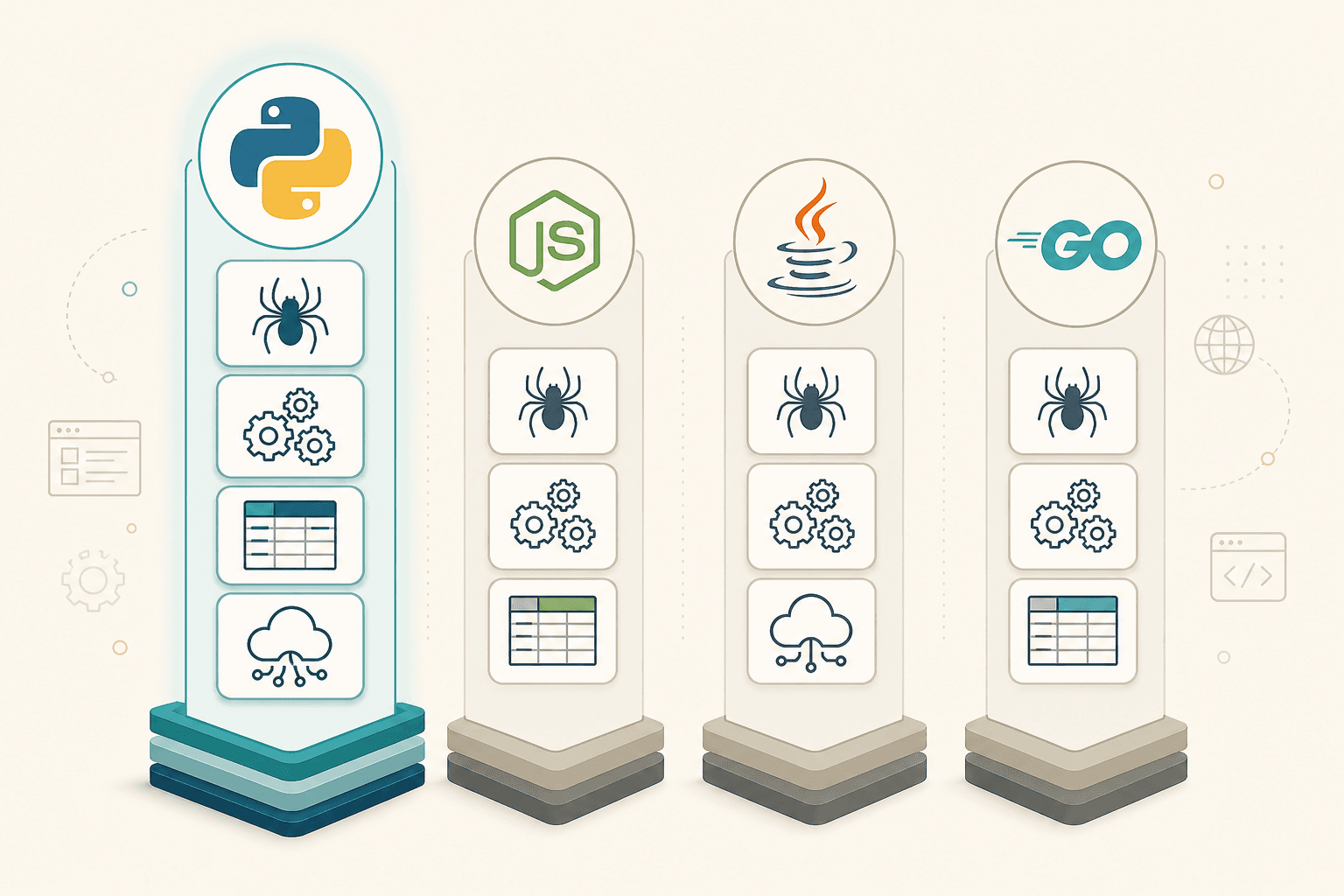
Side-by-side comparison across the dimensions that matter for automation and scraping:
| Dimension | Python | JavaScript / Node | Java / C# | Go / Rust |
|---|---|---|---|---|
| Time to first script | Minutes | Minutes | Hours (scaffolding) | Hours (more plumbing) |
| Scraping ecosystem | Scrapy, BS4, Playwright | Puppeteer, Cheerio, Playwright | Jsoup, Selenium | Colly, chromedp |
| Data wrangling | pandas is the default | Possible, less idiomatic | Strong but heavier | Thinner library set |
| Ops / scheduling | Airflow, Prefect, cron | Node cron, Bull | Enterprise schedulers | Strong binaries; fewer DAG tools |
| Hiring / community | Huge automation pool | Huge web talent pool | Enterprise depth | Growing, systems-focused |
| Raw concurrency / speed | Good enough (async) | Strong event loop | Strong threads / JVM | Often the performance kings |
Honest takeaway: Choose Node when your team already lives in the browser toolchain. Choose Go/Rust when you need extreme throughput or tiny binaries. Choose Java/C# when enterprise standards dominate. Choose Python when the job is automate + scrape + analyze + notify — especially if non-specialists will maintain it.
Integration support that ships
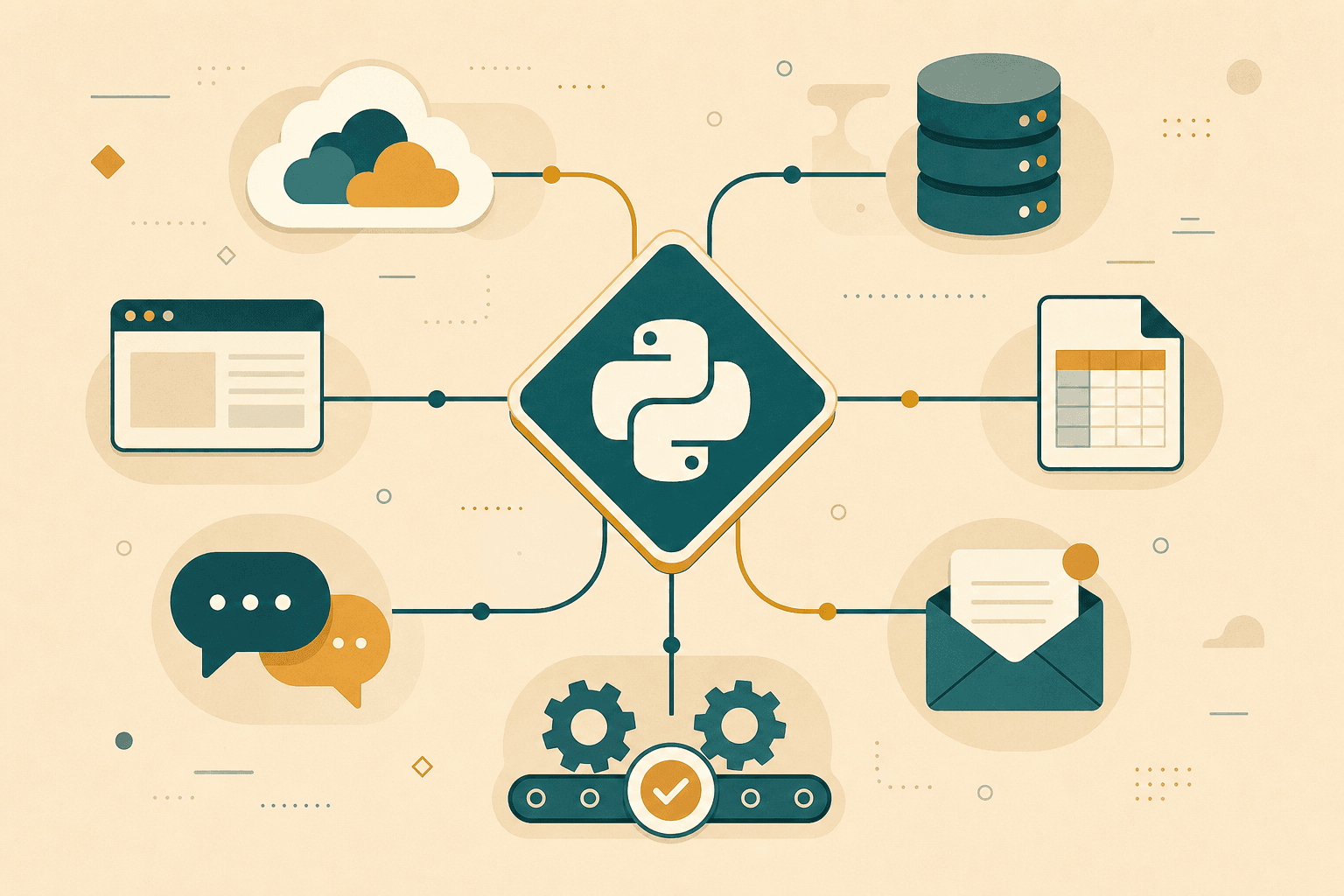
Where Python connects in real projects:
- Browsers — Playwright, Selenium, Pyppeteer for click, wait, screenshot, and download.
- Cloud — AWS, Azure, and GCP SDKs; Functions/Jobs for scheduled scrapers.
- Data stores — Postgres, MongoDB, Redis, S3, Excel, and Google Sheets.
- Comms — Slack, Teams, email (SMTP), webhooks, and Discord bots.
- Orchestration — Airflow, Prefect, Dagster, GitHub Actions, and Azure DevOps.
- AI assist — Parse messy HTML with LLMs, classify pages, and summarize changes.
Integration breadth matters because scraping is rarely the end product. The value shows up when scraped rows land in a sheet, a warehouse, or a Slack alert before standup starts.
From script to reliable automation
A script that works once is different from an automation job that runs every night. As usage grows, add practical safeguards such as request timeouts, retries, rate limiting, logging, and failure notifications. For larger jobs, pagination and incremental collection can prevent unnecessary requests and reduce operating costs.
These details aren't glamorous, but they're what turn a useful script into something a team can trust.
Closing
Python is not magic. It is leverage. For Python web scraping, that leverage shows up as fewer lines, faster onboarding, and a stack that already speaks to the rest of your tools.
Whether you need a simple Python web scraper for a recurring task or a larger workflow that collects and processes data automatically, the same principle applies: start small, automate the boring part, and build from there.
Give it one boring, valuable job tonight. Tomorrow morning, open the CSV.
And, if you are looking for the right Python development team for web scraping, automation, or custom application development, our team at RailsFactory can help. From building automation workflows to developing and scaling Python applications, we can help you build a reliable solution. Talk to our team to get started.